

Every day, people share their experiences of health and care services on Care Opinion. Together, these stories provide valuable, real-time insight into what's working well, where things could be improved, and how services are being experienced by the very people who use them.
Did you know? Care Opinion is not just used by staff within health & care services. Researchers, students, governing bodies and even local MP/MSP’s read the stories we publish and use what our authors tell us to inform their work and learning.
With over 700,000 stories published to date, and more than 16,
000 staff members listening and responding, Care Opinion has become a valuable space for learning, reflection and improvement. Every published story includes a "Who has Care Opinion told about this story?" section, making it easy to see who has been notified and how organisations and staff are engaging with the feedback they receive.
With so many stories to explore, knowing how to search effectively can help you find stories linked to a particular service, condition, topic or theme, making it easier to uncover insights that are useful to you and your organisation.
Here’s our hints and tips for a successful story search!
Start with a Simple Search
The search box is located on the home page, on the right hand side of the screen, highlighted in yellow below. This is where you should start.
Please note: all searches will be filtered by the subscription that you are logged into.
The easiest way to search Care Opinion is to enter a word or phrase into the search box.
For example, searching for:
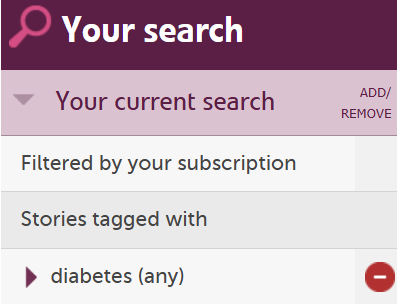
diabetes
will return stories that have been tagged with diabetes.
This is often the quickest way to explore stories related to a particular condition, specialty or area of care.
Search Within Story Text
Sometimes you may want to look beyond tags and search the content of stories themselves.
To do this, place your search term inside quotation marks:
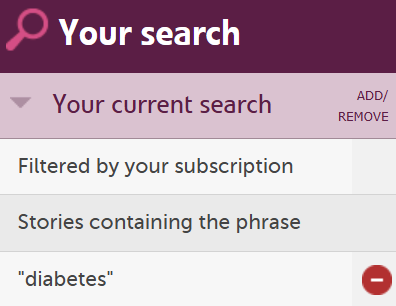
"diabetes"
This tells Care Opinion to search for stories that contain that word within the story text.
Text searching can be particularly useful when exploring specific issues, emerging themes or topics that may not always be reflected in story tags.
Find Variations of a Word
People often describe similar experiences using slightly different language.
For example:
- diabetes
- diabetic
To search for words that share the same root, add an asterisk (*):
"diabet*"
This broadens your search and helps you capture related words without having to enter each one individually.
Combine Different Topics
You may sometimes want to find stories that mention more than one topic.
For example:
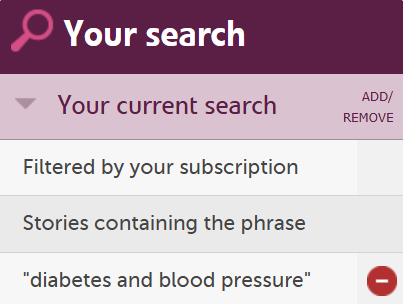
"diabetes AND blood pressure"
This search will return stories that include both terms, helping you explore experiences where the two subjects overlap.
Exclude Topics
If your search returns stories that aren't relevant to what you're exploring, you can exclude specific terms.
For example:
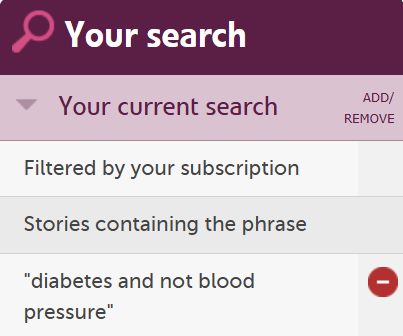
"diabetes AND NOT blood pressure"
This will return stories that mention diabetes while excluding those that mention blood pressure.
This can be a useful way of refining broader searches.
Search Using Alternative Terms
People often use different words to describe the same thing.
For example, someone might mention:
- a sonographer
- a scan
- an ultrasound
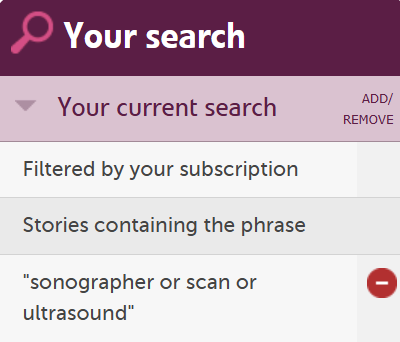
To include all of these possibilities in a single search, use OR:
"sonographer OR scan OR ultrasound"
This will return stories containing any of those terms.
Using OR can help you uncover experiences that might otherwise be missed because different people use different language.
Build More Detailed Searches
As you become more familiar with search, you can combine techniques to create more focused searches.
For example:
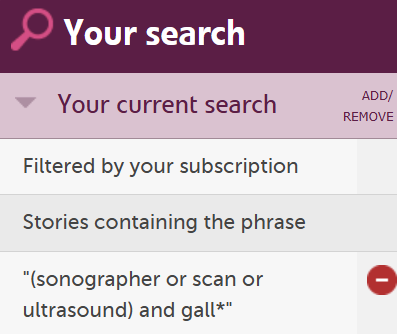
"(sonographer OR scan OR ultrasound) AND gall*"
This will find stories that mention scans alongside gall-related conditions.
Or:
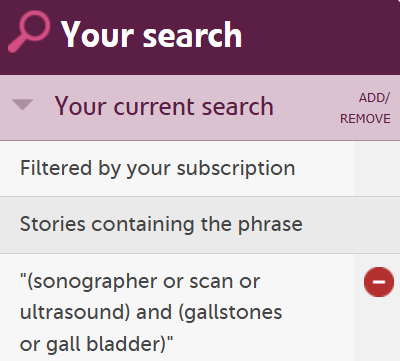
"(sonographer OR scan OR ultrasound) AND (gallstones OR gall bladder)"
This narrows the search further by grouping related terms together.
The brackets tell the search engine which terms belong together, helping it return more relevant results.
Searching - Quick Reference Guide
If you want to find... Search for... What it does Stories tagged with a topic diabetes Finds stories that have been tagged with diabetes. A specific word in the story text "diabetes" Searches for stories containing the word diabetes in the story itself Different versions of a word "diabet*" Finds words beginning with diabet, such as diabetes and diabetic Stories mentioning two topics "diabetes AND blood pressure" Finds stories containing both terms. Stories mentioning one topic but not another "diabetes AND NOT blood pressure" Excludes stories that mention blood pressure. Alternative words for the same thing "sonographer OR scan OR ultrasound" Finds stories containing any of these terms. A more focused combination search "(sonographer OR scan OR ultrasound) AND gall*" Finds stories that mention scans alongside gall-related conditions. Multiple concepts grouped together "(sonographer OR scan OR ultrasound) AND (gallstones OR gall bladder)" Finds stories that include any scan-related term and either gallstones or gall bladder. Go Beyond Searching
It's also worth exploring some of our other features, such as bookmarking stories for future reference and adding your own subscriber tags to support local analysis and reporting. We have lots of helpful guidance available about these features on our subscriber help pages.
Search is really just a way to start exploring! So why not have a play around with the search tools? You might find exactly what you're looking for, or discover something you weren't expecting.
Happy searching!
Searching for stories on Care Opinion
Searching for stories on Care Opinion https://careopinionuk-staging.azurewebsites.net/resources/blog-resources/41-images/08f01e35b1fe4c809ae0d310152f6094.png Care Opinion 0114 281 6256 https://www.careopinion.org.uk /content/uk/logos/co-header-logo-2020-default.pngUpdate from Subscriber Support Team
Posted by Danielle McEwan, Senior Subscriber Support Officer, Subscriber Support Team, on

Thanks for your feedback.