
Uploading and updating your profile picture
Research tells us authors value seeing who their response is from. You can add or change a profile picture any time. This will show on responses and in your subscription members list.
1: Make sure you are logged in
2: Click you picture or “good afternoon [your name]” at the top of the left hand menu
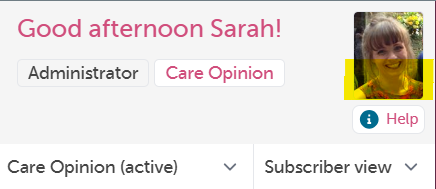
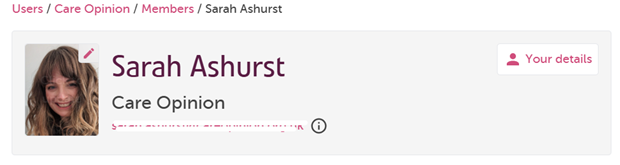
3: This takes you to your profile details. click on the pencil icon over your photo orplace holder photo
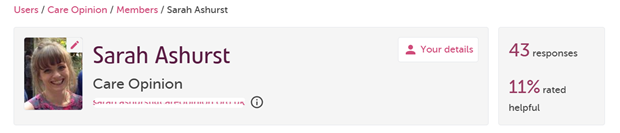
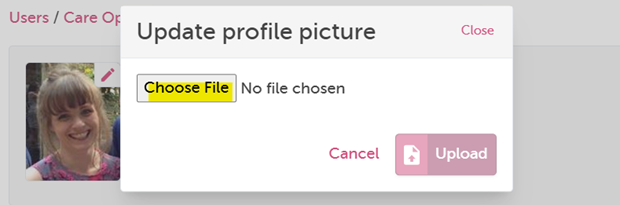
4: Choose the file to upload (no larger than 5mb):
5: Finally crop the picture if needed and click upload:
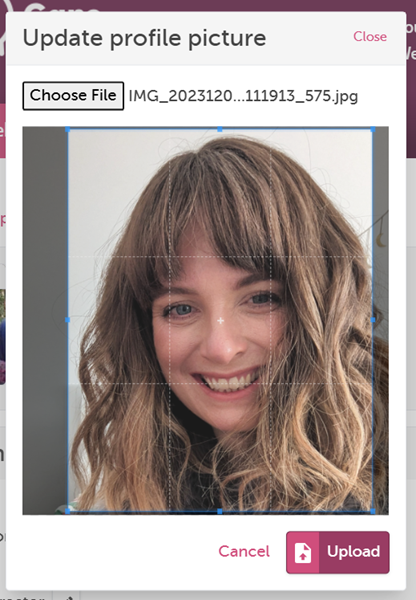
Congratulations, you have a new profile picture! This will be the picture Care Opinion shows on responses where you have chosen to sign the response with your “full name, job title and organisation”
Last update:
03/12/2024 16:58:49